
DBC App
Order buildings from 3D models
Product Lead
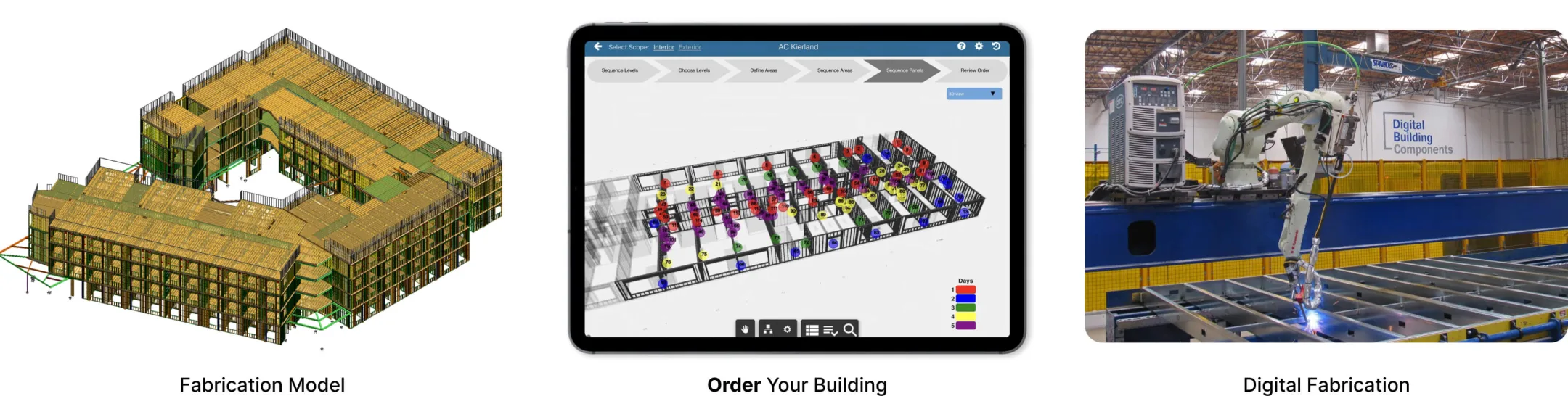
DBC digitally fabricates commercial buildings from 3D models using robotics.
Overview
The DBC App lets teams order buildings from 3D models off an iPad.
It’s been used on capital projects (up to $300M) across the US – the 3D model data initiates robotic fabrication of each building at the factory.
Clients have included University of California, Merck, AC Hotels, etc.
The app was part of the 2019 Keynote for Autodesk University – Forge Developer’s Conference.
Role: Product Lead
- Led a team of 3 software engineers & two 3D modelers through the product lifecycle from idea conception to production use.
- Owned product strategy & roadmap, product design, UX design, 3D model requirements for Autodesk API, iterative user testing, production implementation, cost / schedule mgmt.
- Developed 3D model requirements so that:
- geometry was lightweight & responsive on an iPad
- users could assign order sequences to model elements & be translated to NoSQL database & fabrication process
- Presented on product & fabrication process at:
- Stanford University Industrialized Construction Forum 2019
- Stanford Center for Integrated Facility Engineering (CIFE) / Project-Based Learning (PBL) Lab
- ETH Zurich
Order
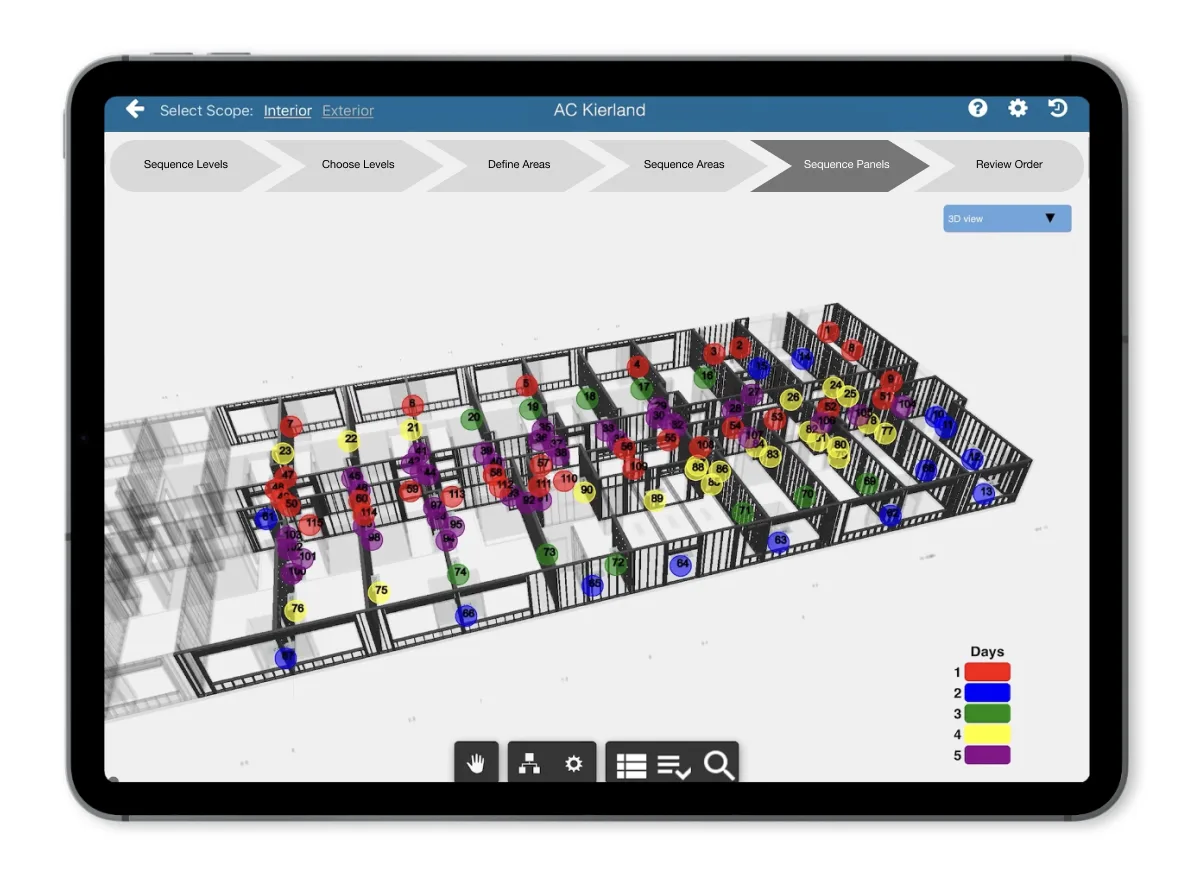
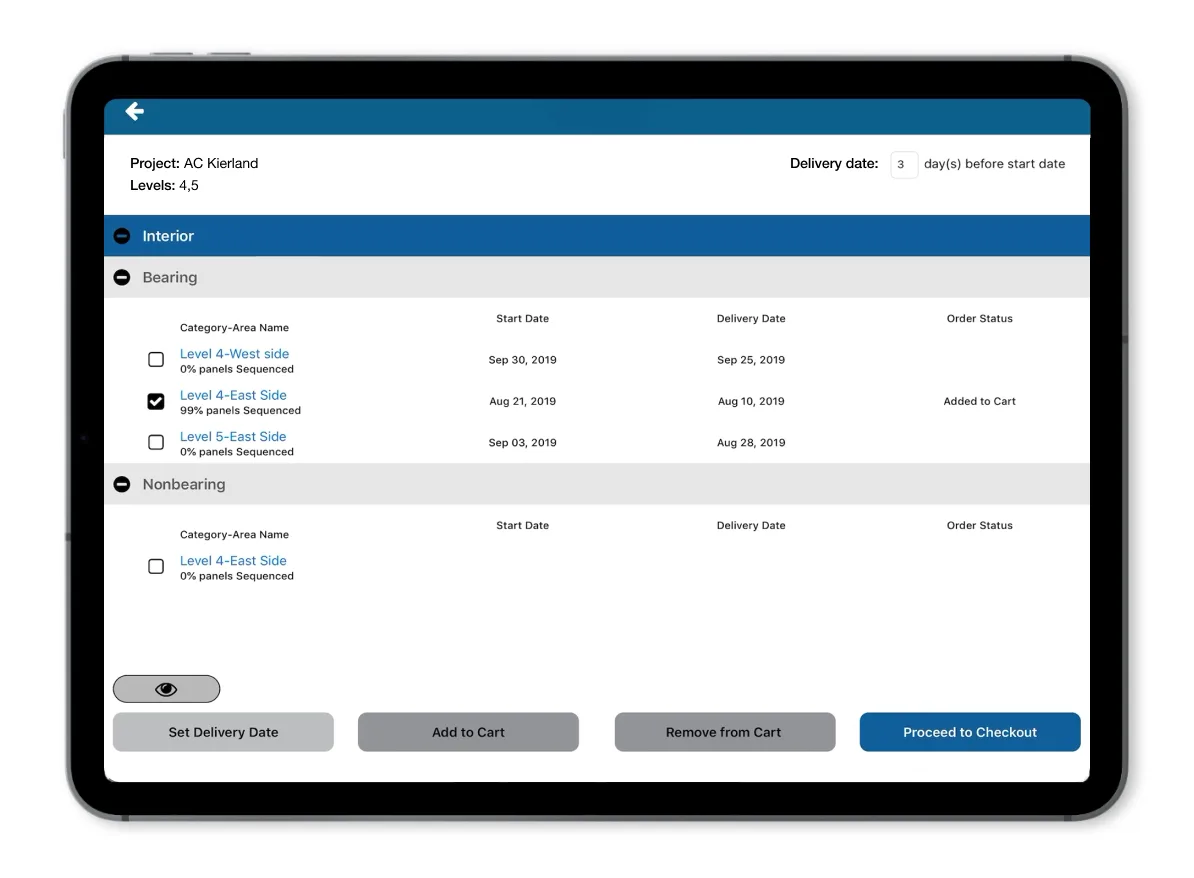
Ordering flow
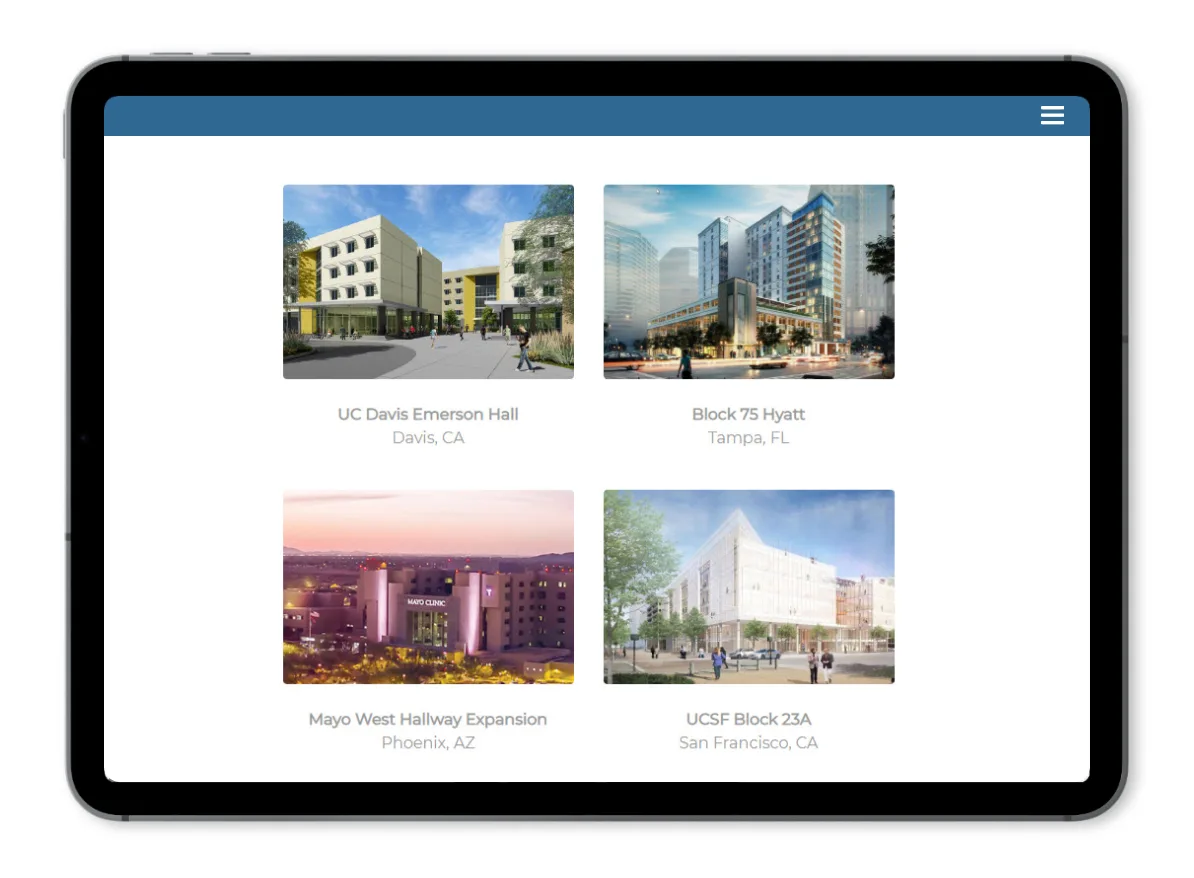
- Choose the project you’d like to order
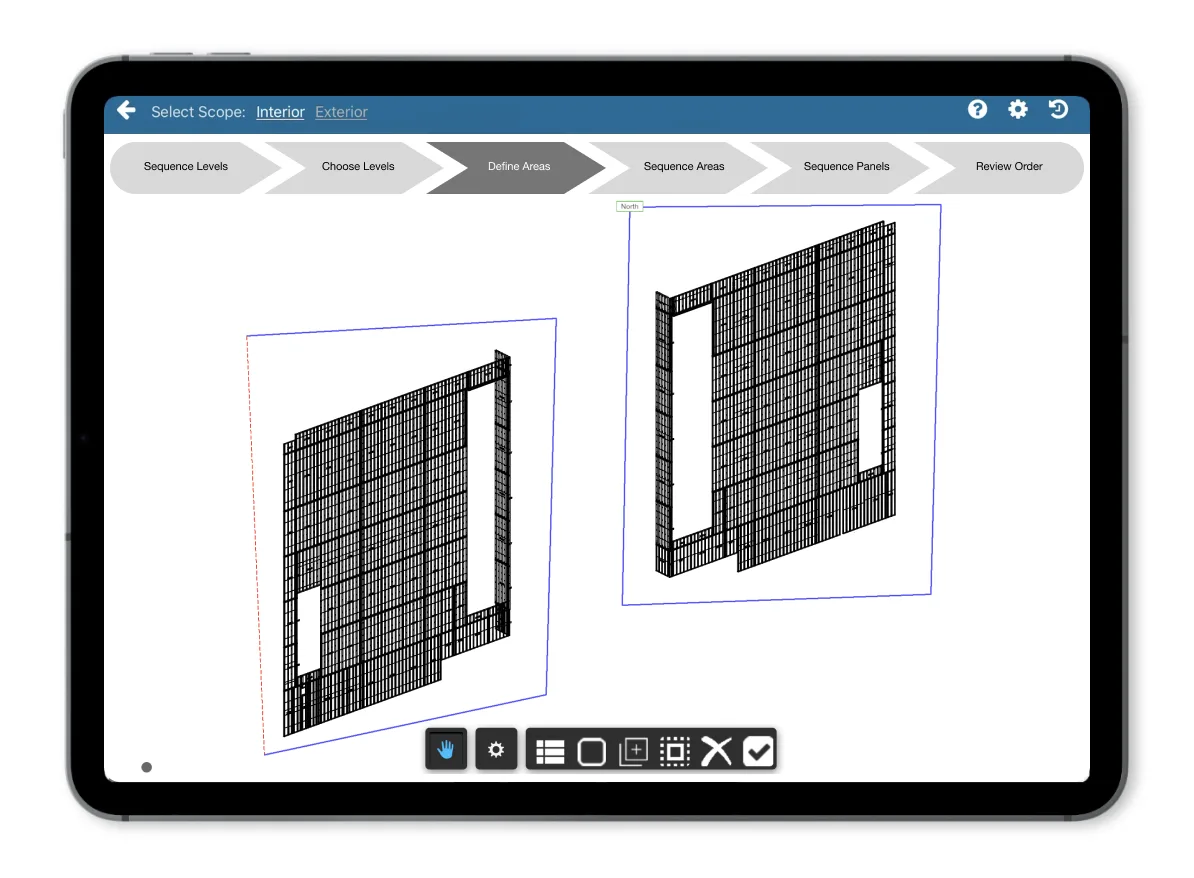
- Define areas (e.g. north facade): this simplifies a floor or facade into manageable components
- Sequence panels (6 to 14 ft components) in order you plan to install to drive fab / shipping sequence – visualize simulation of installation to confirm
- Place your order – add areas to cart & communicate delivery date to factory
Product experience
“E-commerce for Buildings” – creating a building should feel more like ordering from Amazon or calling an Uber rather than “construction”.
Takeaways
Visuals to simplify the building product & process
A commercial building is a complex product with a complicated design & construction process. The DBC App makes the building scope accessible through lightweight 3D models on an iPad. It simplifies an email driven, manual process into a six-step flow the builder can progress through themselves.
Predictable results & eliminating waste
The app enables teams to directly communicate their order & installation sequence at a manufacturing unit level (wall panel) rather than a manual transfer of text from 2D PDFs. It reduces rework by allowing teams to work with the live 3D model scope, rather than outdated 2D PDF exports.
Manage
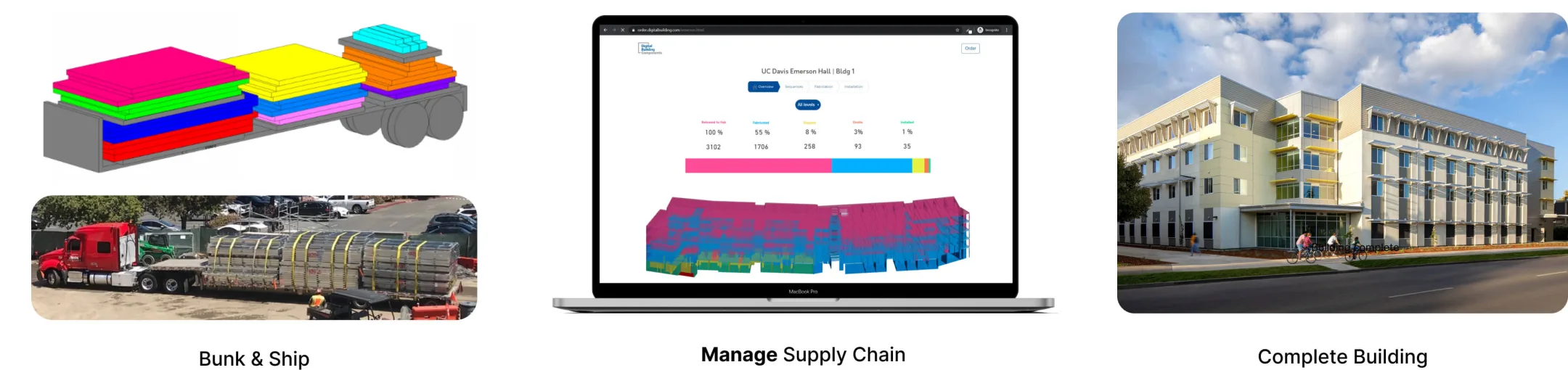
DBC Manage was a visual tracking portal for teams to gain insight into the fabrication, delivery and installation phases of a project.
The product was tested on projects in the Bay Area and Austin, however existing industry products proved sufficient, leading us to end development.
The 3D viewers developed with the Autodesk Assemble API were shared & used by industry partners.